
Creating a Stake
Stake your $MONSTRO to start earning rewards and unlock higher tier benefits.
Step 1: Open the Stake page
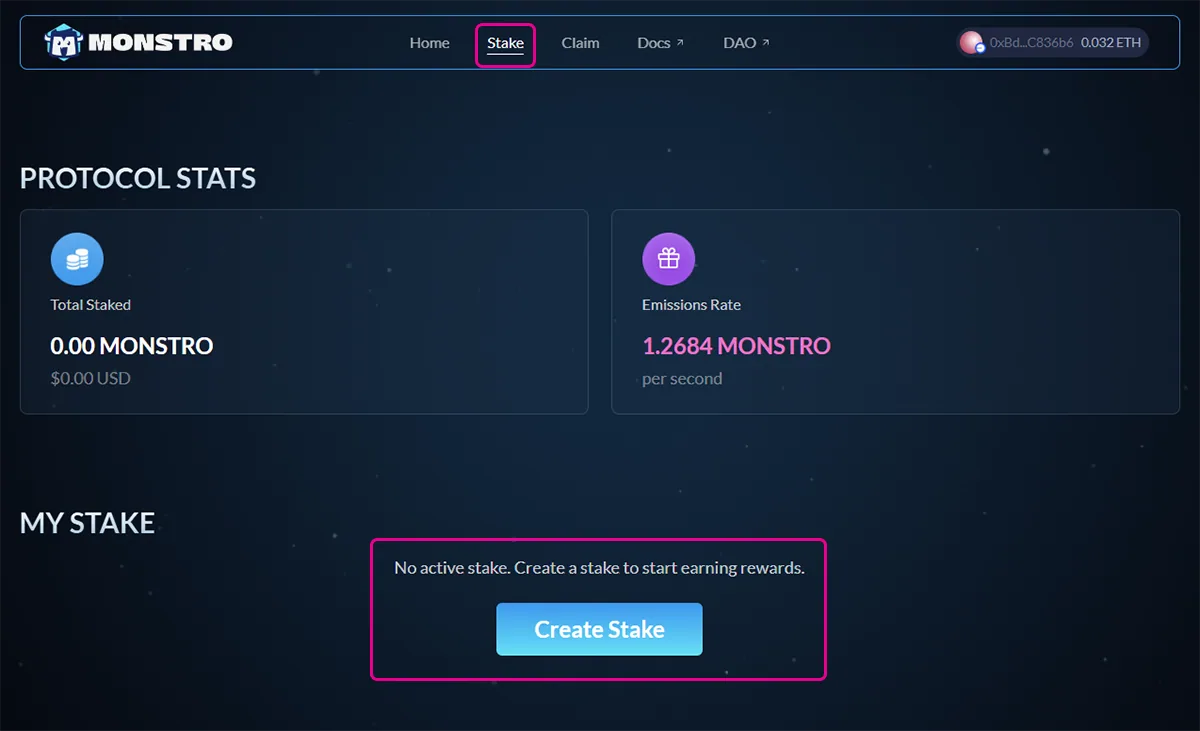
Click Stake in the top navigation menu.
If you do not have an active stake yet, you will see a prompt to create one.
Step 2: Enter the amount to stake
Click Create Stake to open the staking modal.
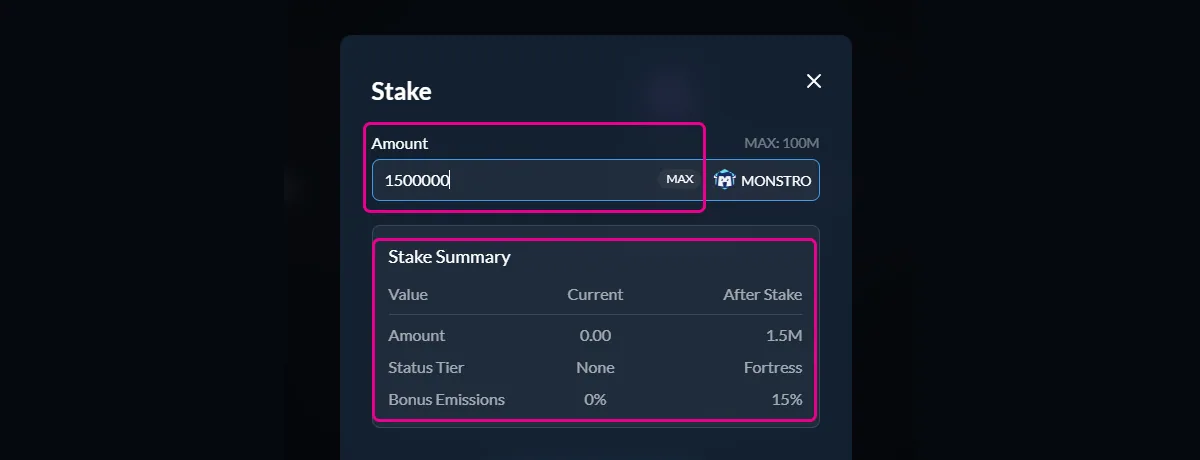
Enter the amount of $MONSTRO you would like to stake. The stake summary will update automatically to show:
- Your new total staked amount
- Your status tier after staking
- Any bonus emissions you unlock
Step 3: Approve $MONSTRO (if required)
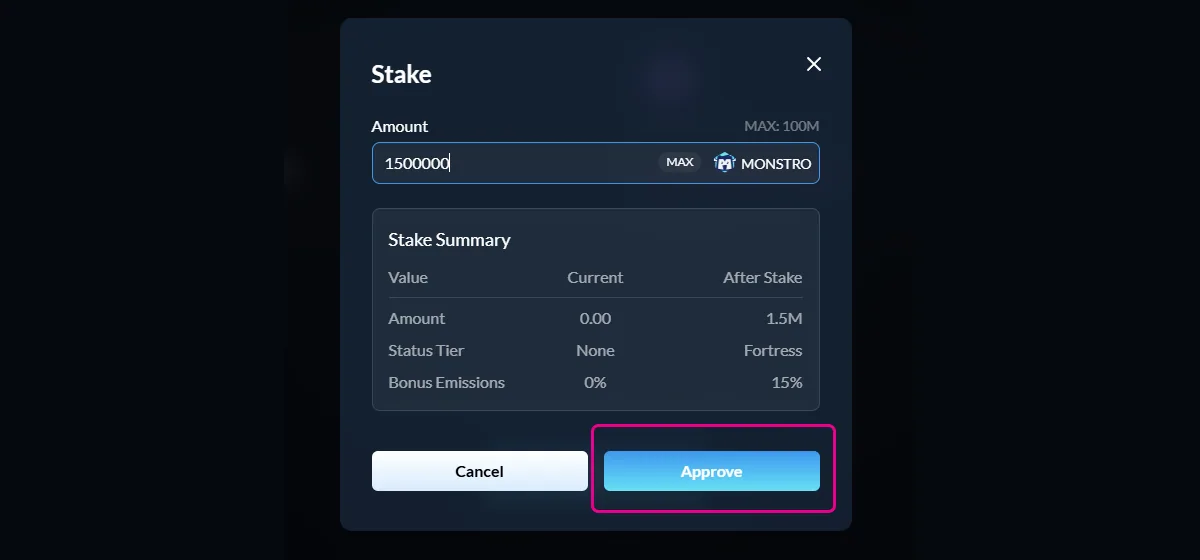
If this is your first time staking, or if you have not previously approved $MONSTRO for staking, you will be asked to approve the token.
This approval allows the staking contract to access your $MONSTRO. It does not stake any tokens and only needs to be repeated if the approval is revoked.
Confirm the approval transaction in your wallet and wait for it to complete.
Step 4: Create your stake
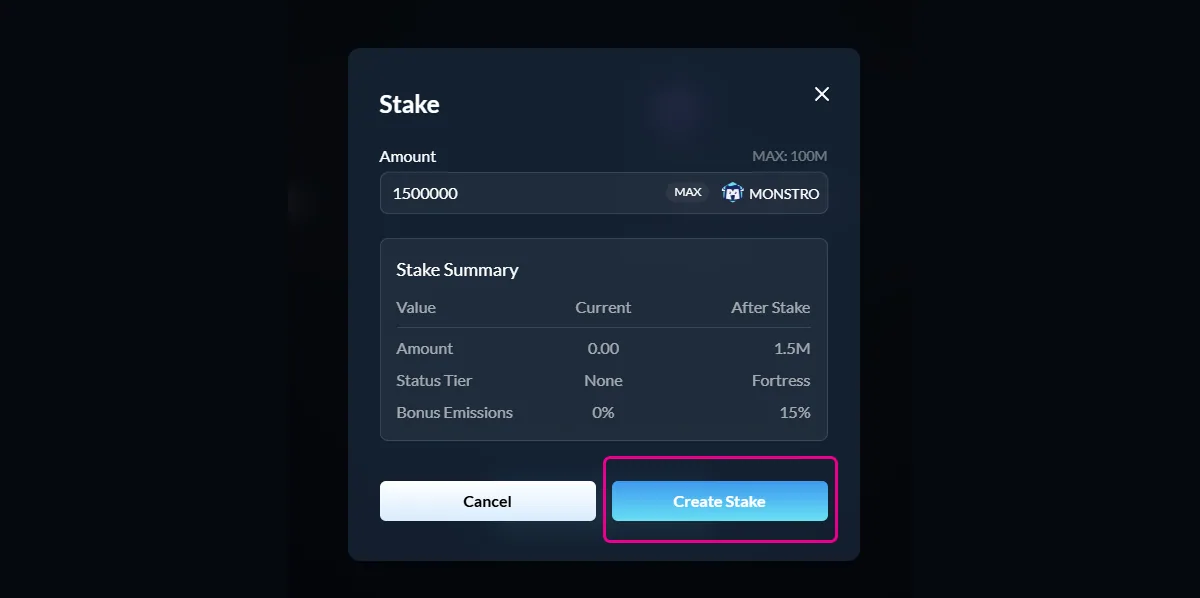
Once approval is complete, the button will change to Create Stake.
Click Create Stake and confirm the transaction in your wallet to finalize your stake.
Step 5: Confirm success
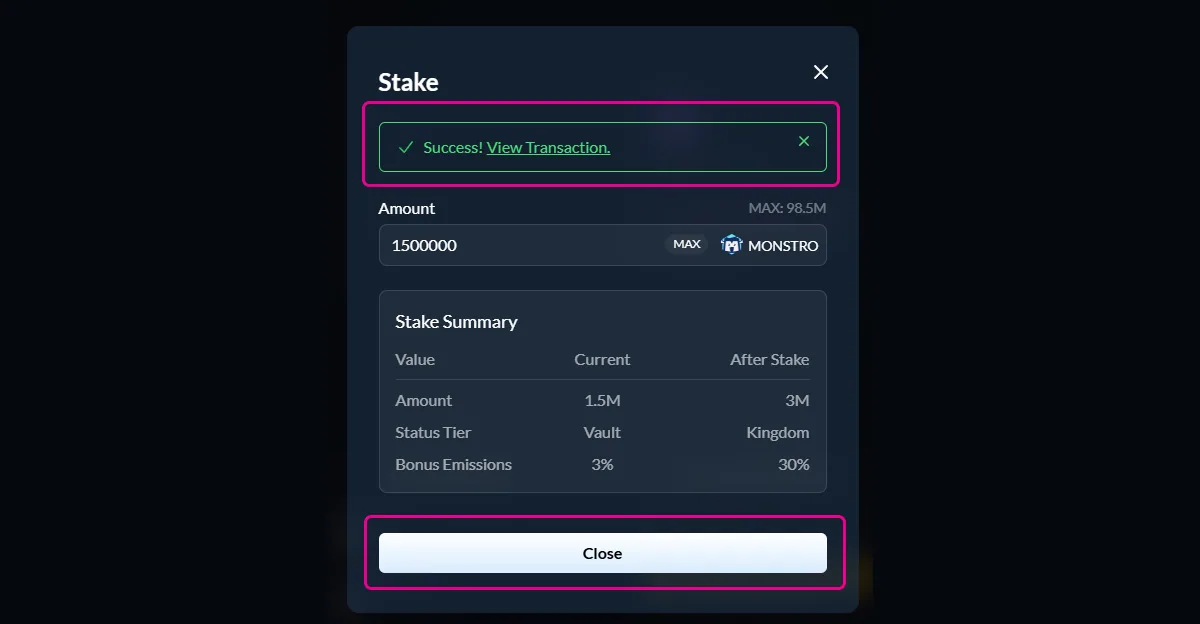
After the transaction is confirmed, you will see a success message and your updated stake details.
Your $MONSTRO is now actively staked and earning rewards.
Closing note
After creating your stake, you can return to the staking page at any time to view rewards, add more tokens, claim rewards, or manage your stake.