
Adding to Your Stake
Increase your existing $MONSTRO stake to earn more rewards and unlock higher tiers.
Step 1: Open the Stake page
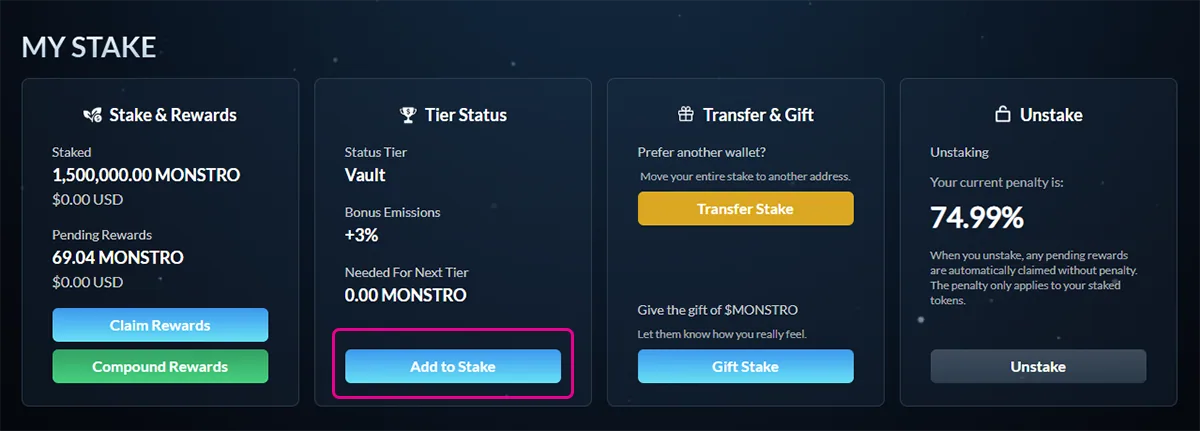
Navigate to the Stake page and locate the My Stake section.
Click Add to Stake to increase your existing stake.
Step 2: Enter the amount to add
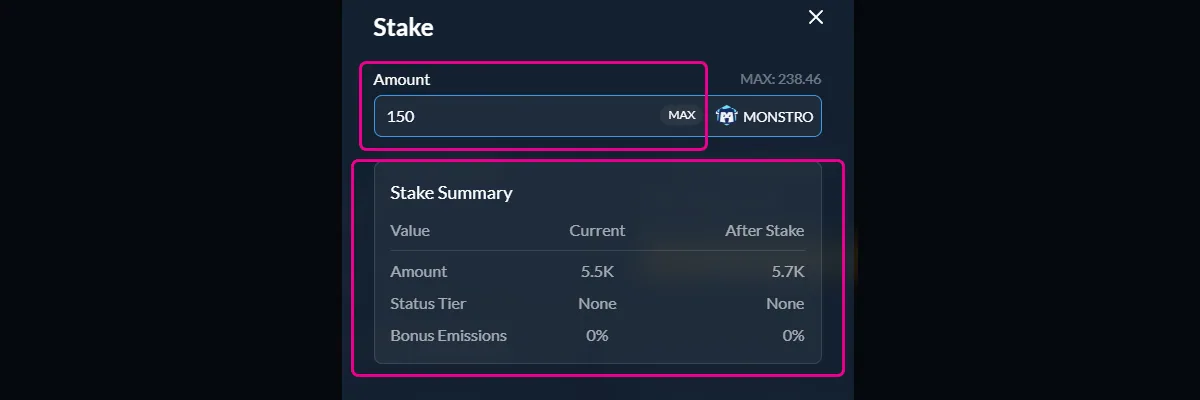
The staking modal will open. Enter the amount of $MONSTRO you want to add to your current stake.
The stake summary will update automatically to show:
- Your new total staked amount
- Your tier status after adding
- Any bonus emissions you may unlock
Step 3: Approve $MONSTRO (if required)
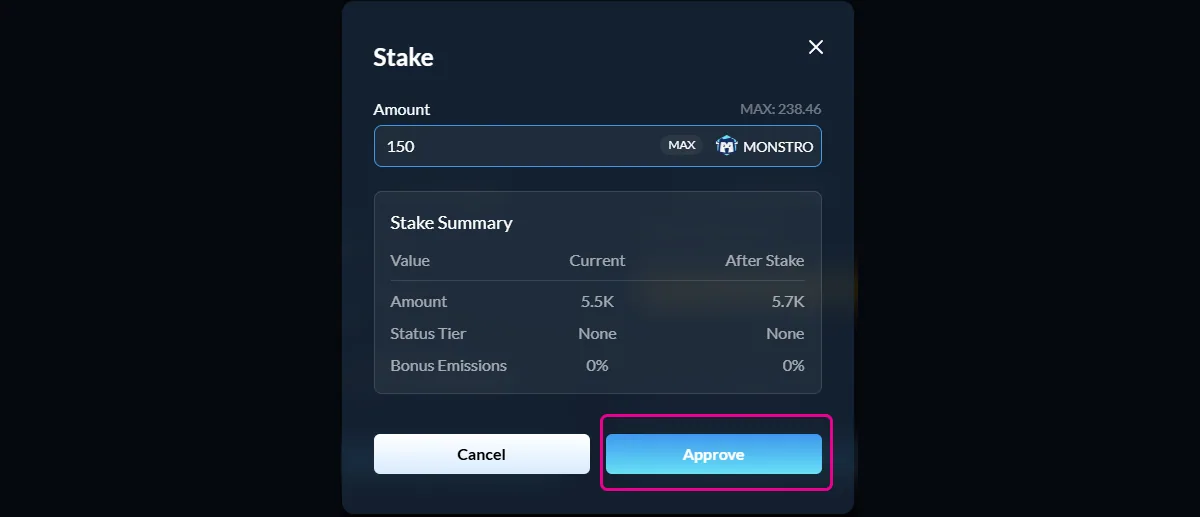
If this is your first time staking, or if you have not previously approved $MONSTRO for staking, you will be asked to approve the token.
This approval allows the staking contract to access your $MONSTRO. It does not stake any tokens and only needs to be repeated if the approval is revoked.
Confirm the approval transaction in your wallet and wait for it to complete.
Step 4: Add to your stake
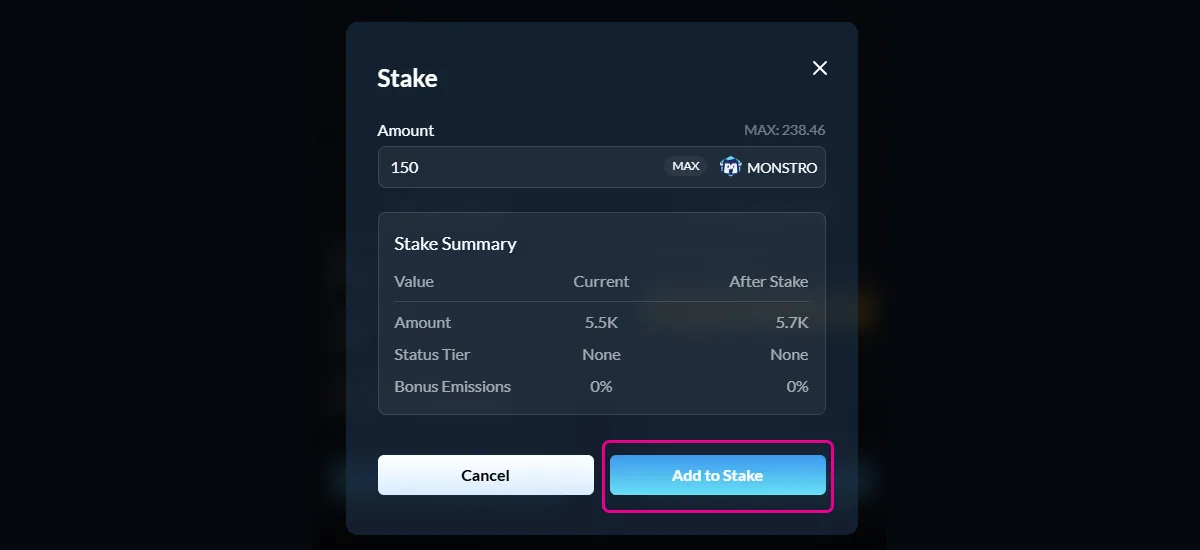
Once approval is complete, the button will change to Add to Stake.
Click Add to Stake and confirm the transaction in your wallet.
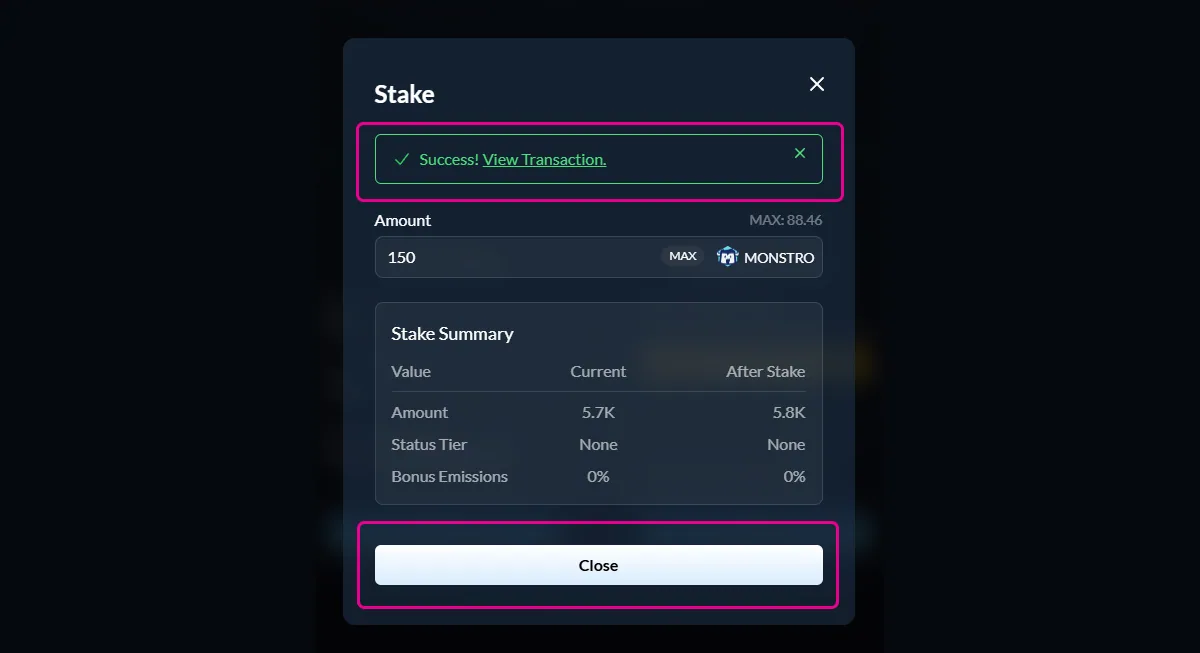
Step 5: Confirm success
After the transaction is confirmed, you will see a success message and your updated stake totals.
Your added tokens immediately begin earning rewards.
Notes
- Adding to your stake does not reset the penalty on your existing stake
- The penalty timeline is blended based on the size and timing of each addition
- Your displayed penalty reflects a time-weighted average across your entire stake