
Claiming Your Allocation
Claim your $MONSTRO allocation and automatically stake it in a single transaction.
This is for holders of past Monstro products with an unclaimed legacy allocation.
The last claim window closes on January 27, 2027. Unclaimed allocations are burned after that.
Step 1: Open the Claim page
Connect your wallet, then go to:
https://monstrodefi.com/claim
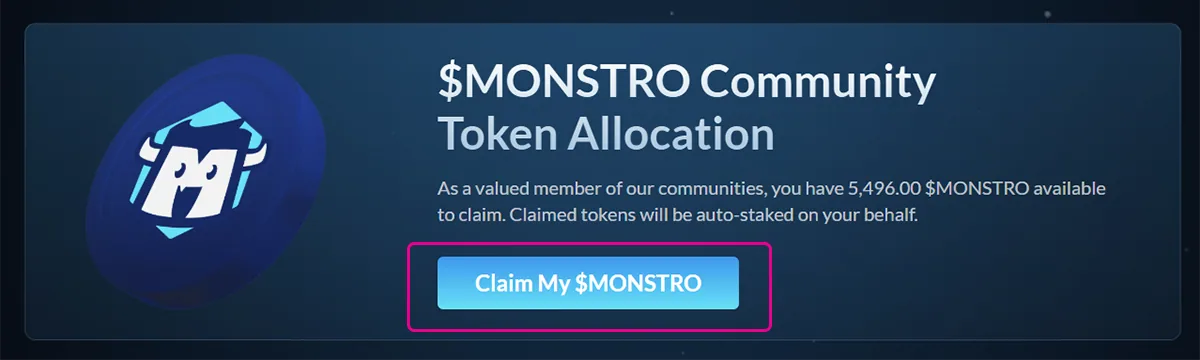
This page will display your available $MONSTRO allocation, if eligible.
Step 2: Claim your allocation
Click Claim My $MONSTRO to begin the claim process.
Your wallet will prompt you to confirm the transaction. A small amount of ETH on Base is required to cover gas fees.
Once confirmed, your allocation will be automatically staked on your behalf. There is no separate staking step required.
Step 3: View your stake
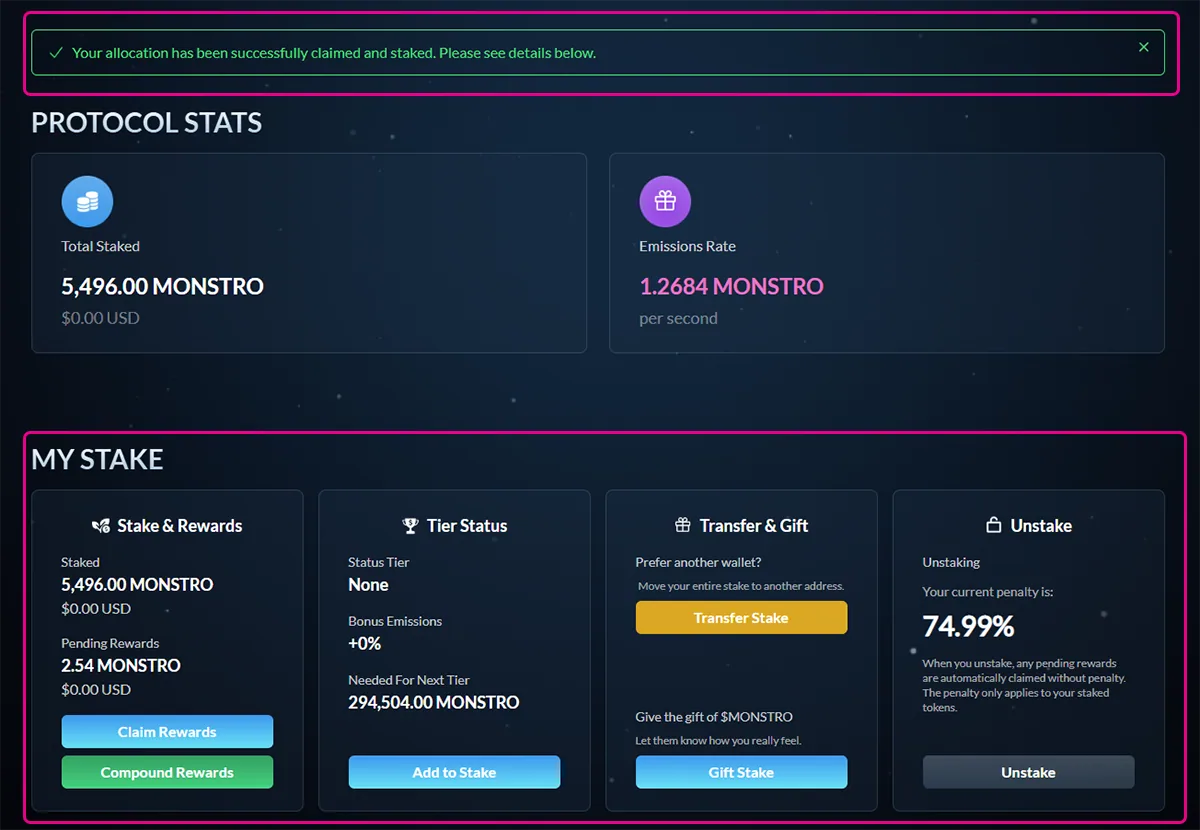
After the transaction is complete, you will be redirected to the Staking page.
You will see a confirmation message at the top of the page, along with your staked balance and rewards details below.
Closing note
If the transaction is successful, your tokens are safely staked and earning rewards immediately. You can manage your stake, claim rewards, or add more tokens from the staking page at any time.