
Buying $MONSTRO (Alien Base)
Learn how to acquire $MONSTRO by swapping supported tokens on Alien Base.
The recommended way to get started is directly from the Monstro website, which links to Alien Base with the correct swap pair pre-selected.
The only liquidity pool is MONSTRO/ALB. If you are starting from ETH or USDC, the Monstro swap handles the whole trade in one step, instantly and with no fee beyond the pool fee and gas.
Note
The steps below use Alien Base’s swap interface. Screenshots are provided as examples and may vary slightly from the live interface.
Step 1: Open Alien Base from the Monstro site
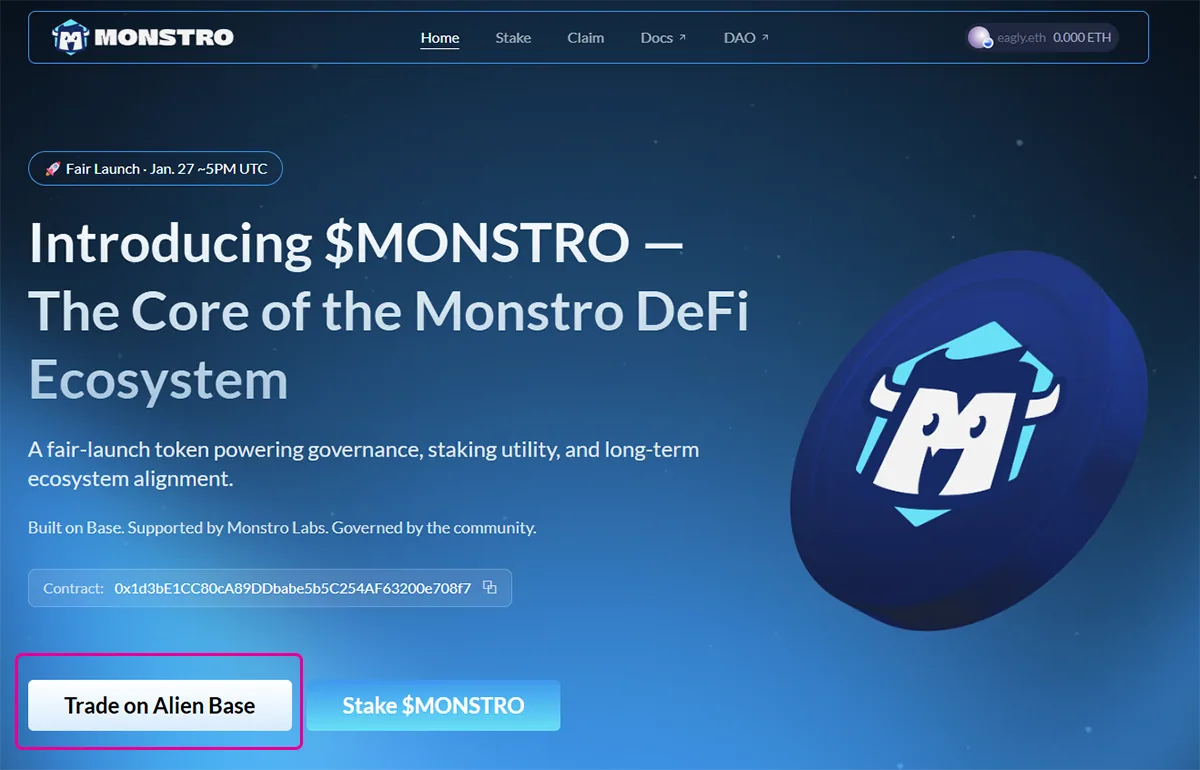
Visit the Monstro website in your browser and click Trade on Alien Base on the homepage.
This will open Alien Base in a new tab with the $MONSTRO swap pair already selected, helping ensure you are interacting with the correct token.
Step 2: Connect your wallet on Alien Base
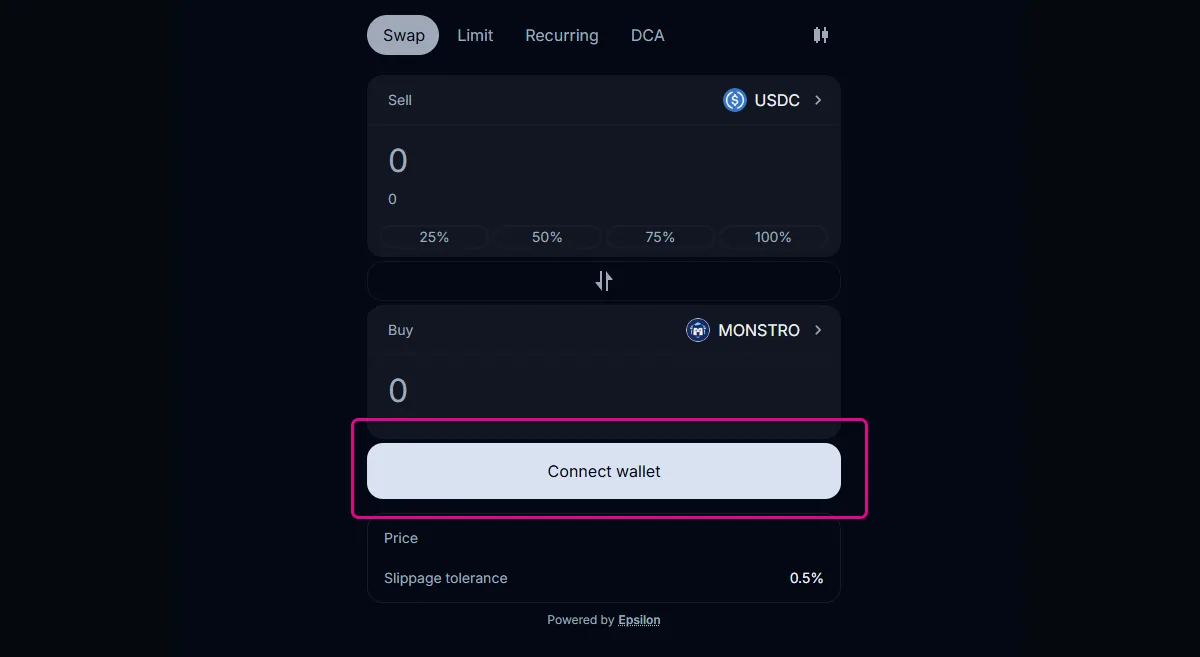
On Alien Base, click Connect wallet and approve the connection in your wallet.
Once connected, your wallet address and balances will be visible in the swap interface.
Step 3: Confirm the swap pair
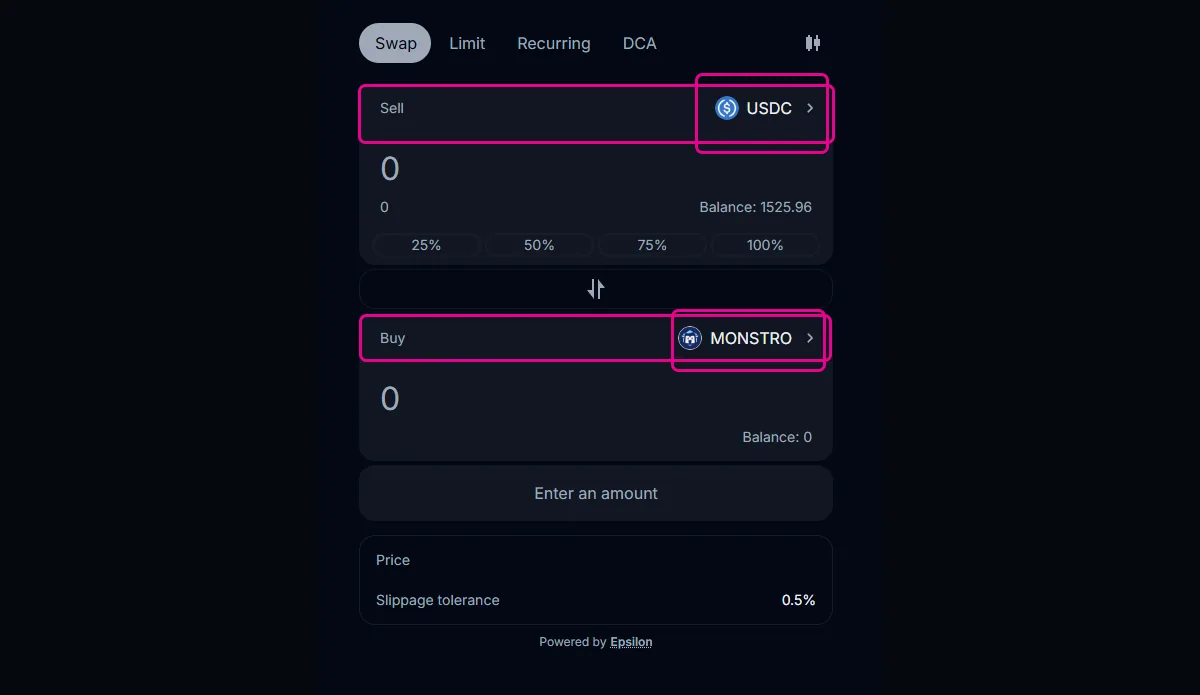
The swap interface should already be configured to swap into $MONSTRO.
Confirm that:
- The token you are swapping from (for example, USDC) is correct
- The token you are swapping to is MONSTRO
If needed, you can change the input token using the token selector.
Step 4: Enter the amount to swap
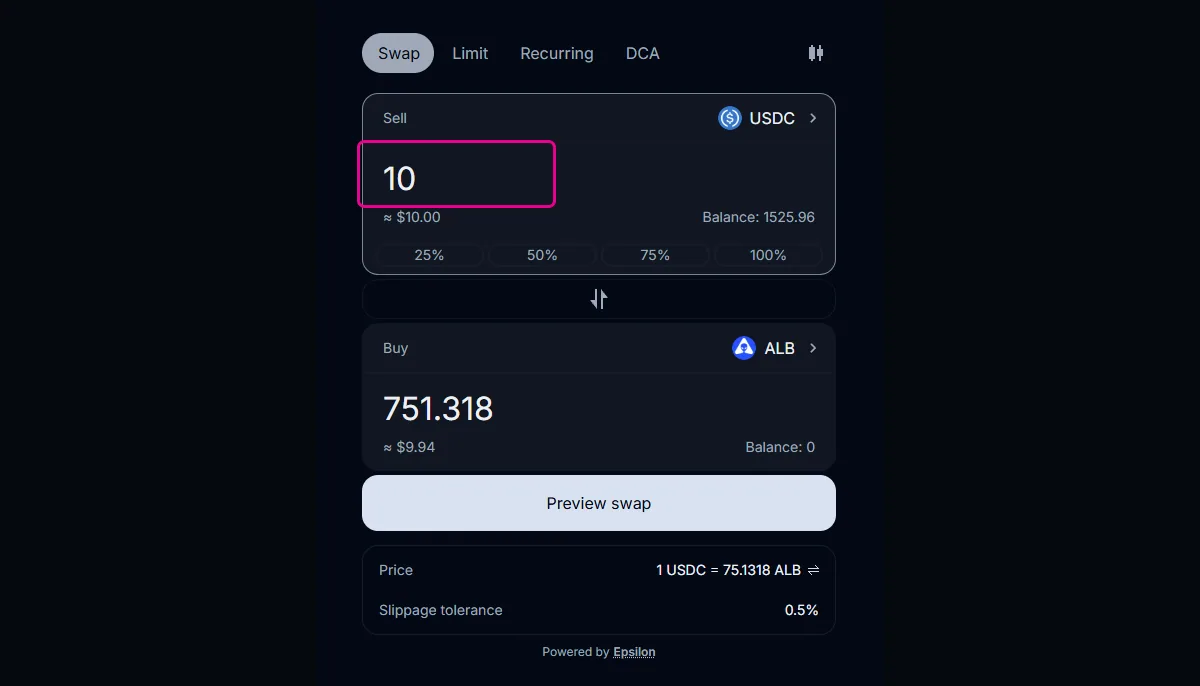
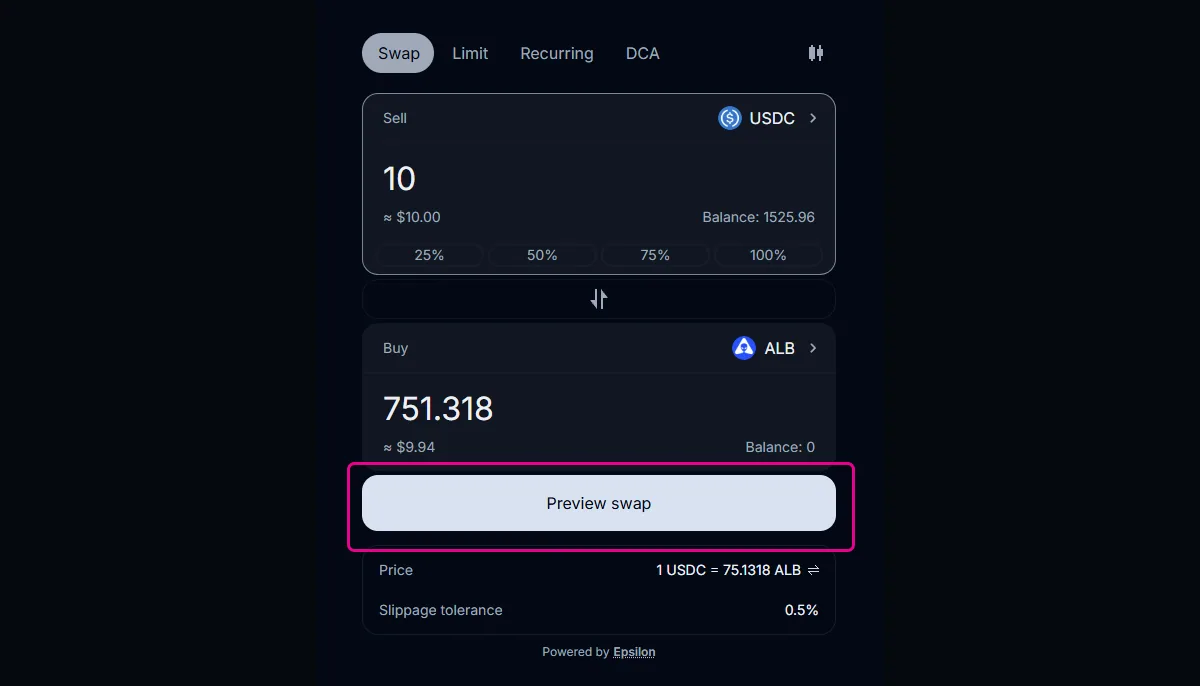
Enter the amount of the input token you wish to swap.
The interface will estimate the amount you will receive based on current market conditions.
Note
Example screenshots may show a different token pair (such as USDC → ALB) for illustration purposes only.
Step 5: Preview the swap
After entering the amount, click Preview swap to review the transaction details before it is submitted.
This opens a confirmation panel showing the estimated output, slippage tolerance, and other swap details.
Step 6: Review the swap details
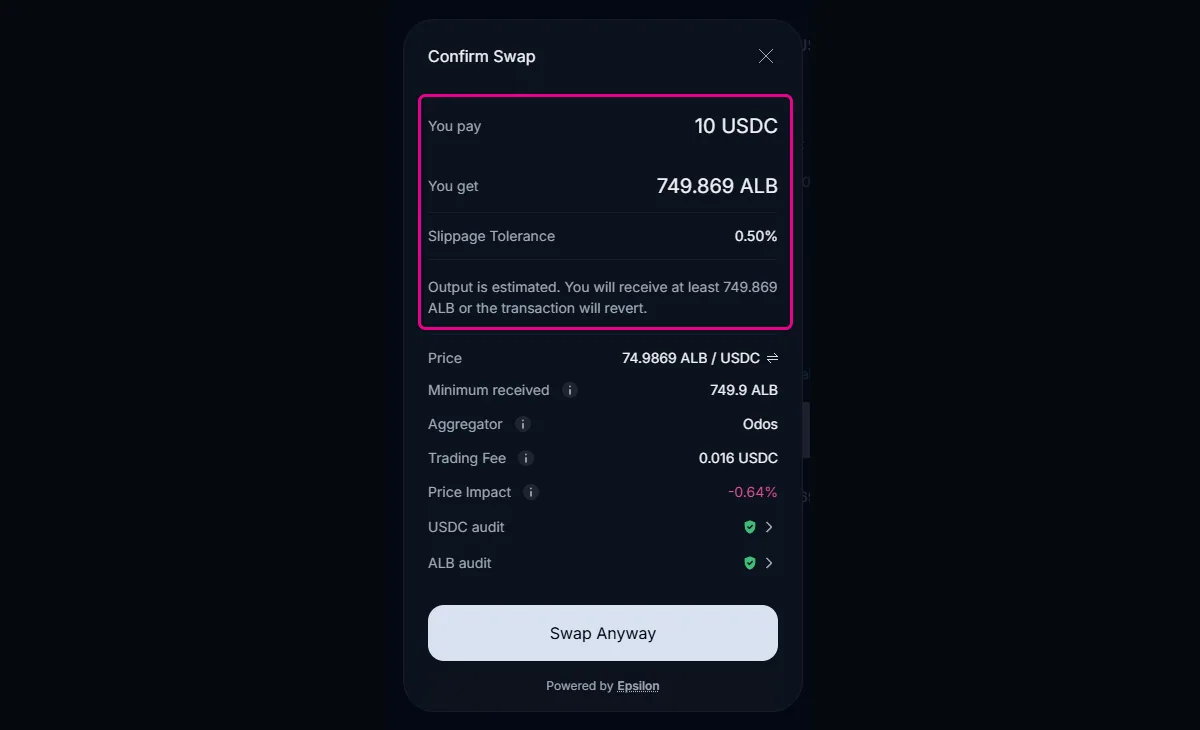
The confirmation panel displays a summary of the transaction, including:
- The amount you will pay
- The estimated amount you will receive
- Slippage tolerance
- Minimum amount received
- Fees and price impact
Review these details carefully before proceeding.
Note
The output amount shown is an estimate. If price conditions change beyond your slippage tolerance, the transaction will automatically revert.
Step 7: Confirm the swap
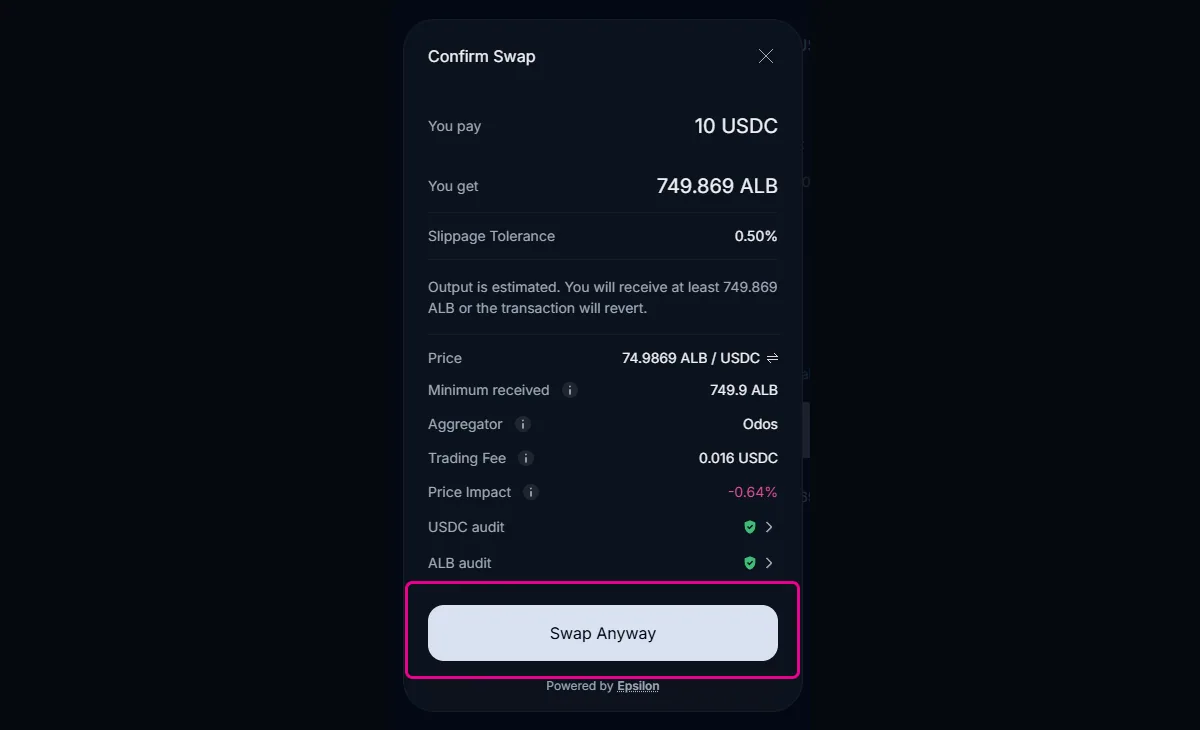
If everything looks correct, confirm the swap and approve the transaction in your wallet.
Depending on market conditions, the confirmation button text may vary (for example, Confirm or Swap Anyway). This is normal and simply reflects additional confirmation due to price impact or volatility.
Once the transaction is confirmed on-chain, $MONSTRO will appear in your wallet balance.
Additional notes
- Purchasing $MONSTRO does not stake your tokens. Tokens remain liquid in your wallet until you choose to stake them.
- To swap out of $MONSTRO, simply reverse the swap direction using the same interface.
- If you do not see $MONSTRO in your wallet after the swap, you may need to add the token manually using the official contract address shown on the Monstro site.